For restaurant owners and managers
Know the room, the team and the cash before you walk in.
Mesa puts each of your venues on your iPhone: who is in the house, who is on the clock, what has sold tonight and what is in the bank. It reads the systems you already run and tells you how fresh each number is.
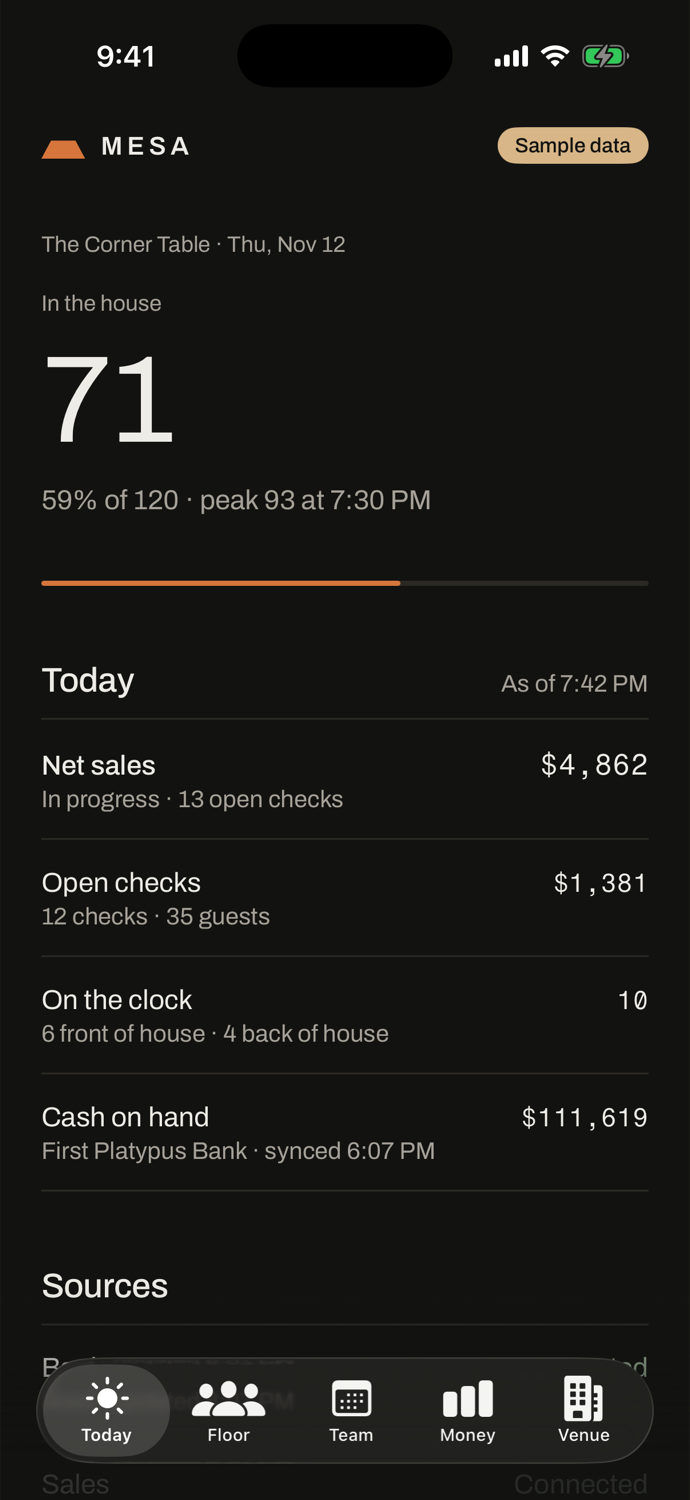
Every service has a shape.
A lunch rise, a quiet afternoon, then the climb to a full room. Mesa draws the day against your capacity as it happens, so you can see a slow Tuesday at four o'clock instead of reading about it on Wednesday.
01 Floor
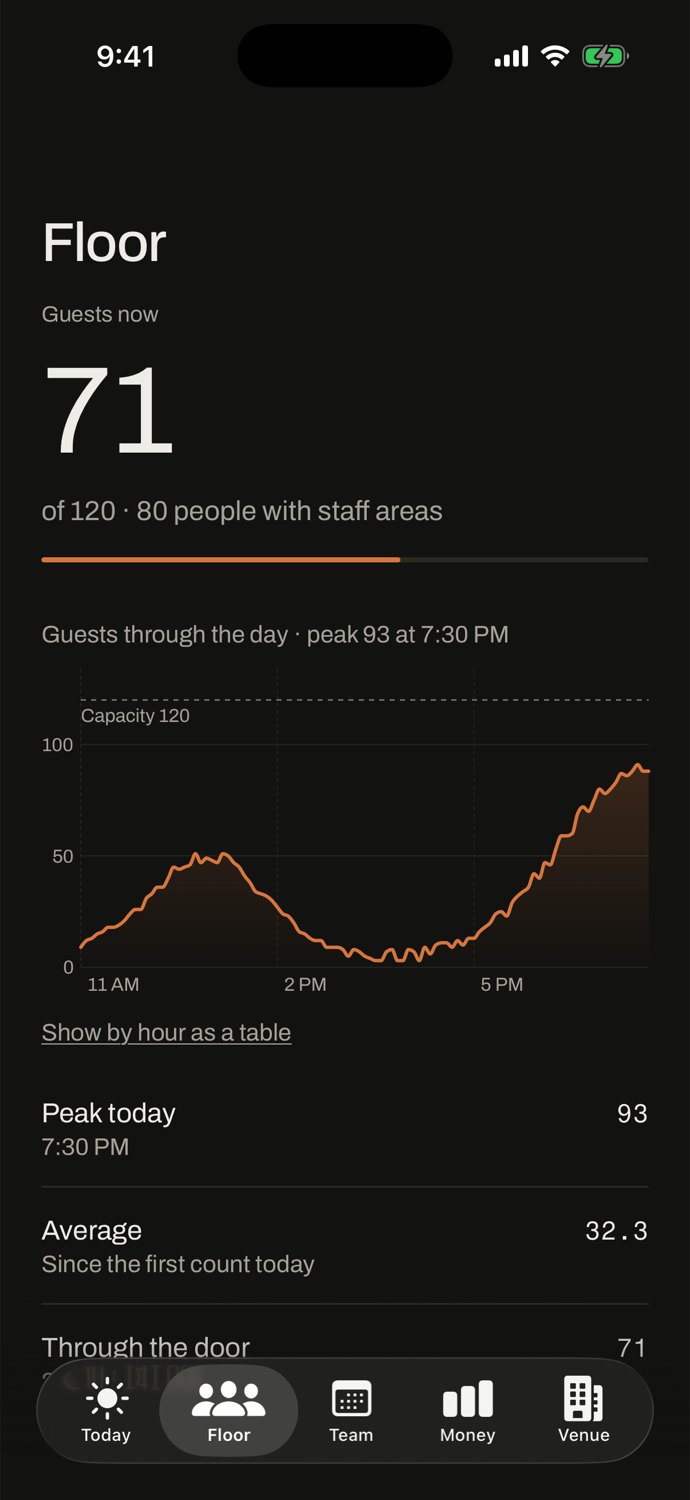
How full the room is, right now.
If you run a guest counter, it posts its counts to Mesa. Mesa turns them into one number you can trust at a glance, and the day's curve underneath it.
- Guests now
- Against capacity, with staff areas counted apart
- The day
- Peak, average and the count through the door
- Tables and tabs
- Open checks, guests seated and what is on them
- On the clock
- Who is clocked in, front and back of house
02 Team
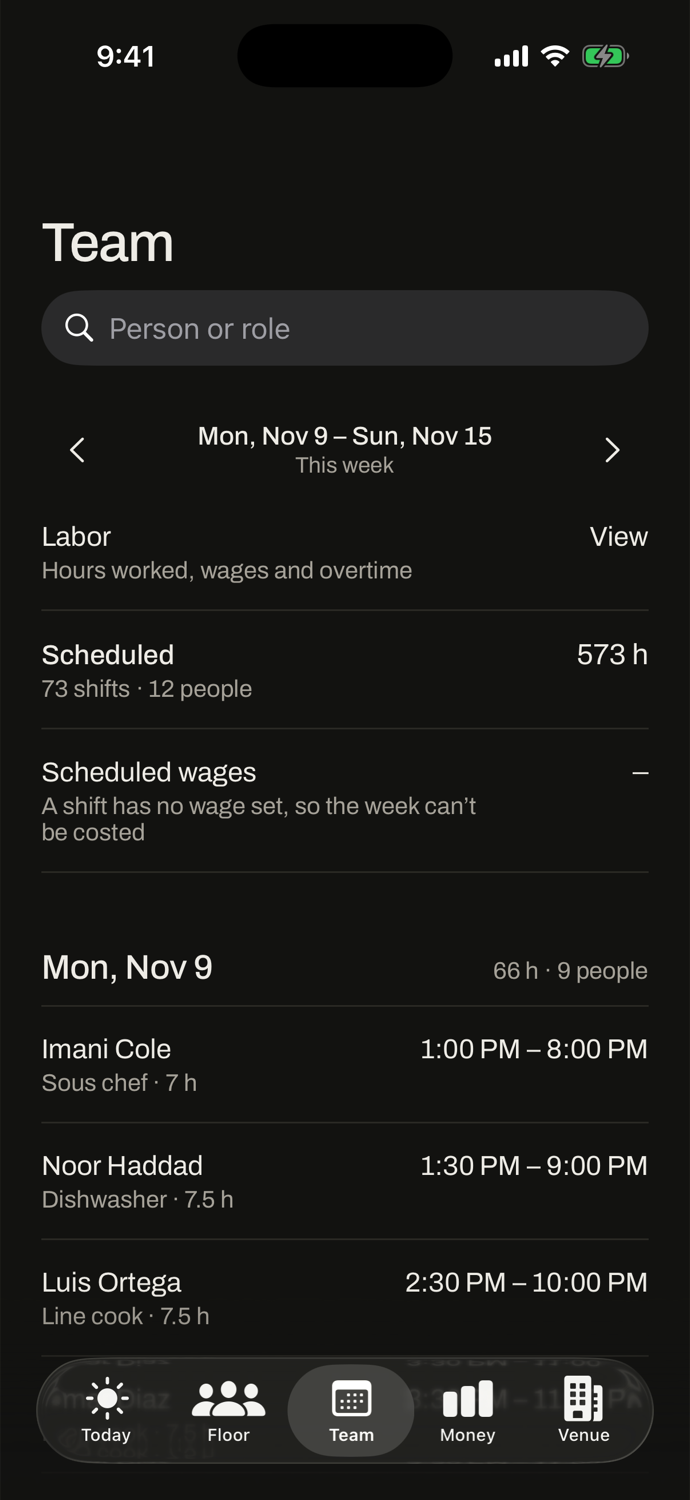
The week's schedule, and what it costs.
Everyone sees the published shifts. Managers also see the wage bill before the week starts and the labor it actually took once it ends.
- Schedule
- Shifts by day, searchable by person or role, open shifts flagged
- Scheduled wages
- The week costed in advance
- Labor
- Wages, labor percent, hours by day, overtime and tips
- Range
- 7, 30 or 90 days
When a figure cannot be worked out, Mesa shows a dash and says why. A missing wage never becomes a zero.
03 Money
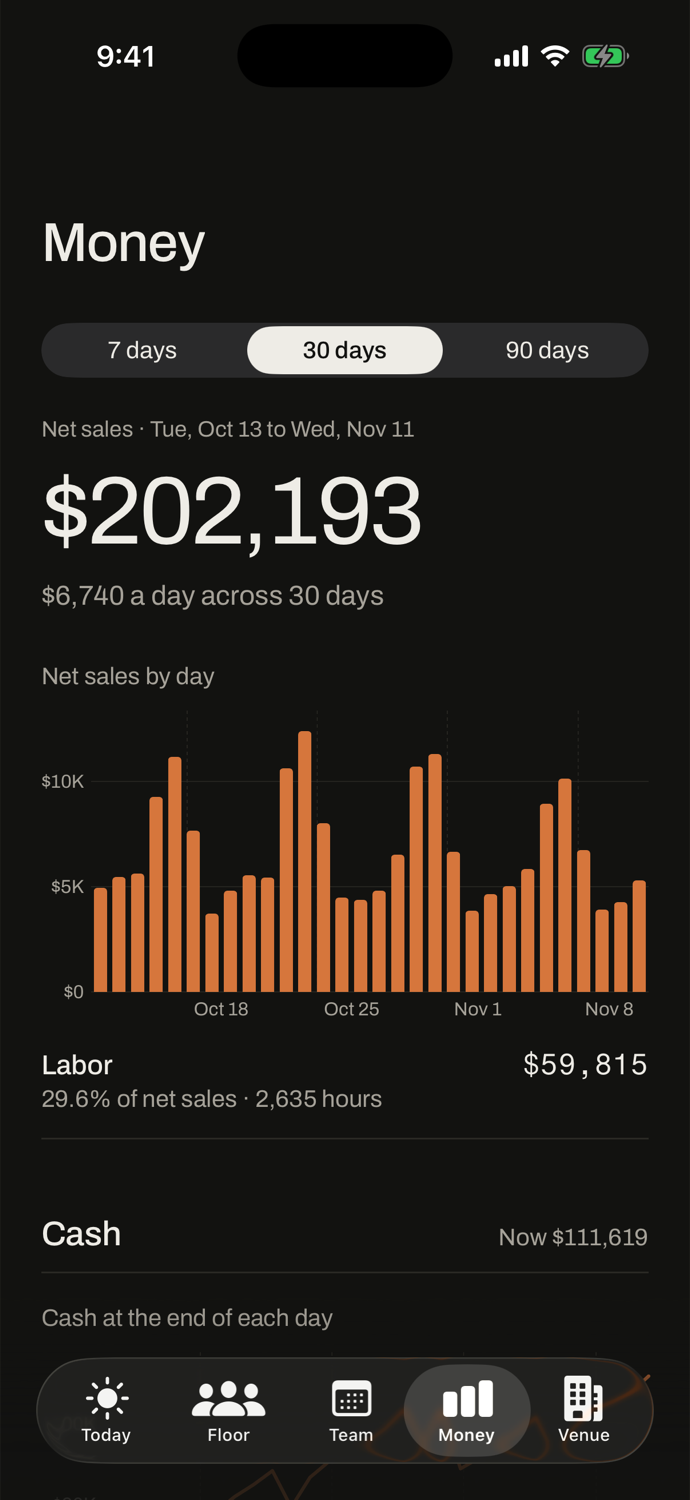
What sold, what it cost and what is in the bank.
For owners only. Sales from the point of sale, labor from the schedule and cash from the bank, side by side, so the month is not a surprise.
- Net sales
- By day, with the daily average
- Labor
- In dollars, hours and as a share of sales
- Cash
- The balance at the end of each day, money in and money out
- Accounts
- Every bank account's transactions and where the money went
04 Sources
It reads what you already run.
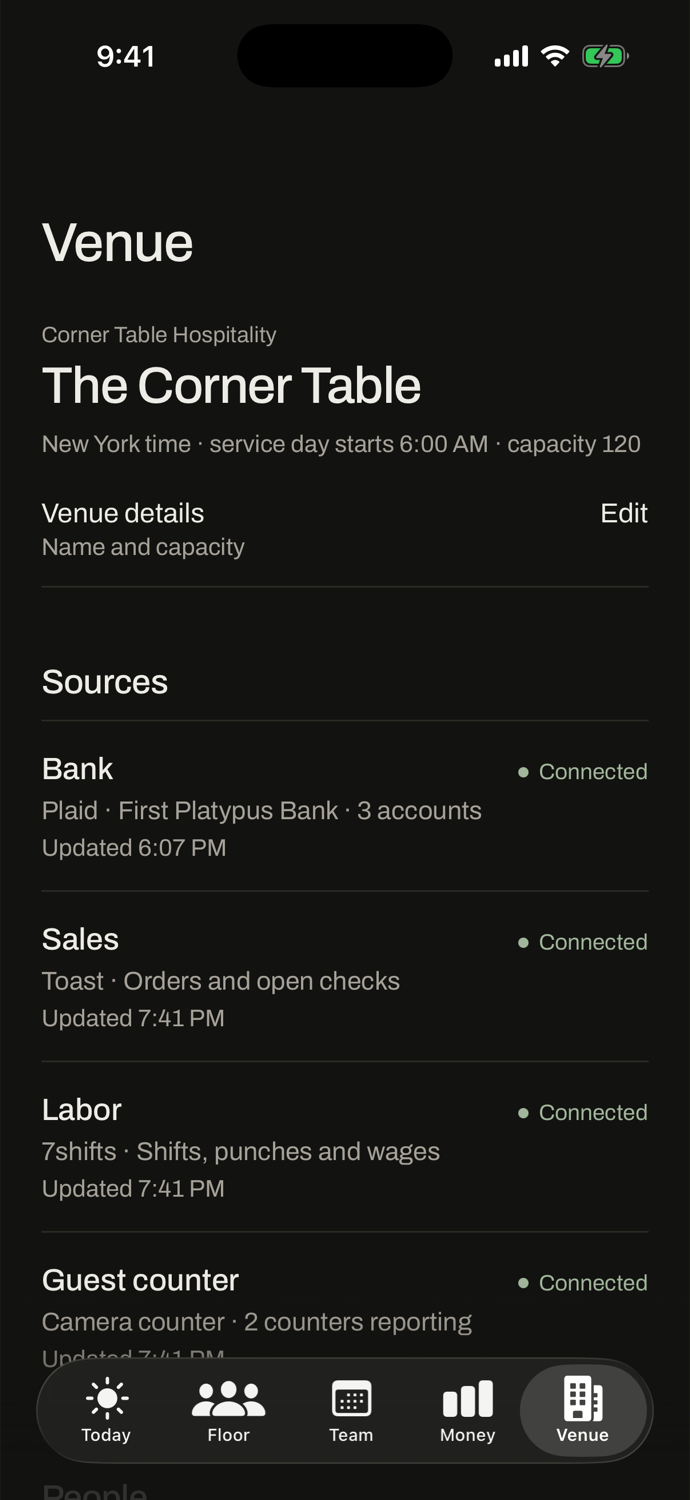
Each venue connects its own accounts from the app. Every source shows whether it is connected and when it last updated, so you always know how old a number is.
| Source | Through | What Mesa reads |
|---|---|---|
| Bank | Plaid | Balances and transactions for each account |
| Sales | Toast | Orders, net sales and open checks |
| Labor | 7shifts | Shifts, punches and wages |
| Guest counter | Your own counter | The guest counts it posts, by area |
Mesa does not supply a guest counter. It accepts counts from one you already run; without one, the guest count stays blank.
05 Access
Each person sees their part.
One role per person, across all of your venues. The server decides what each phone may read, not the app.
-
Staff
The floor and the week's schedule.
-
Manager
Also sales, labor and scheduled wages.
-
Owner
Also money and the bank. Connects sources and adds or removes people.
06 Your data
Built for numbers you would not leave on the bar.
Credentials stay on the server
You type a source's credentials once. They are encrypted at rest and never sent back to a phone.
Nothing is kept on the phone
The app holds only its own pairing. Figures live in memory and are gone when you leave.
It locks when you put it down
Face ID, Touch ID or your passcode every time you come back to the app.
Accounts never mix
Another restaurant's venue answers exactly as one that does not exist.
A lost phone is one tap
An owner revokes any iPhone from the Venue screen and it is forgotten at once.
Your venue's clock
Days roll over at your service-day hour in your timezone, including when the clocks change.
07 Getting started
Four steps, most of them yours to do from the app.
- 1
We open your account
With your first venue, its timezone and its capacity. You get a one-time code.
- 2
You pair your iPhone
Enter the code once. That phone is now the owner's.
- 3
You connect your sources
The bank, the point of sale and the schedule, each from the Venue screen. A guest counter too, if you run one.
- 4
You add your people
A name, a role and a code that lasts fifteen minutes.
Mesa is in early access.
Accounts are opened by hand, one restaurant at a time. Tell us about your venues and the systems you run.
Request access